CanvasGrid
David Wilder
Designer & Developer
About CanvasGrid
A lot of us skip the design phase and go straight into code. Whether you're vibe coding or just not in Figma, the same problem shows up eventually: inconsistent UI. Buttons that don't quite match, spacing that drifted between builds, screens you haven't looked at in weeks.
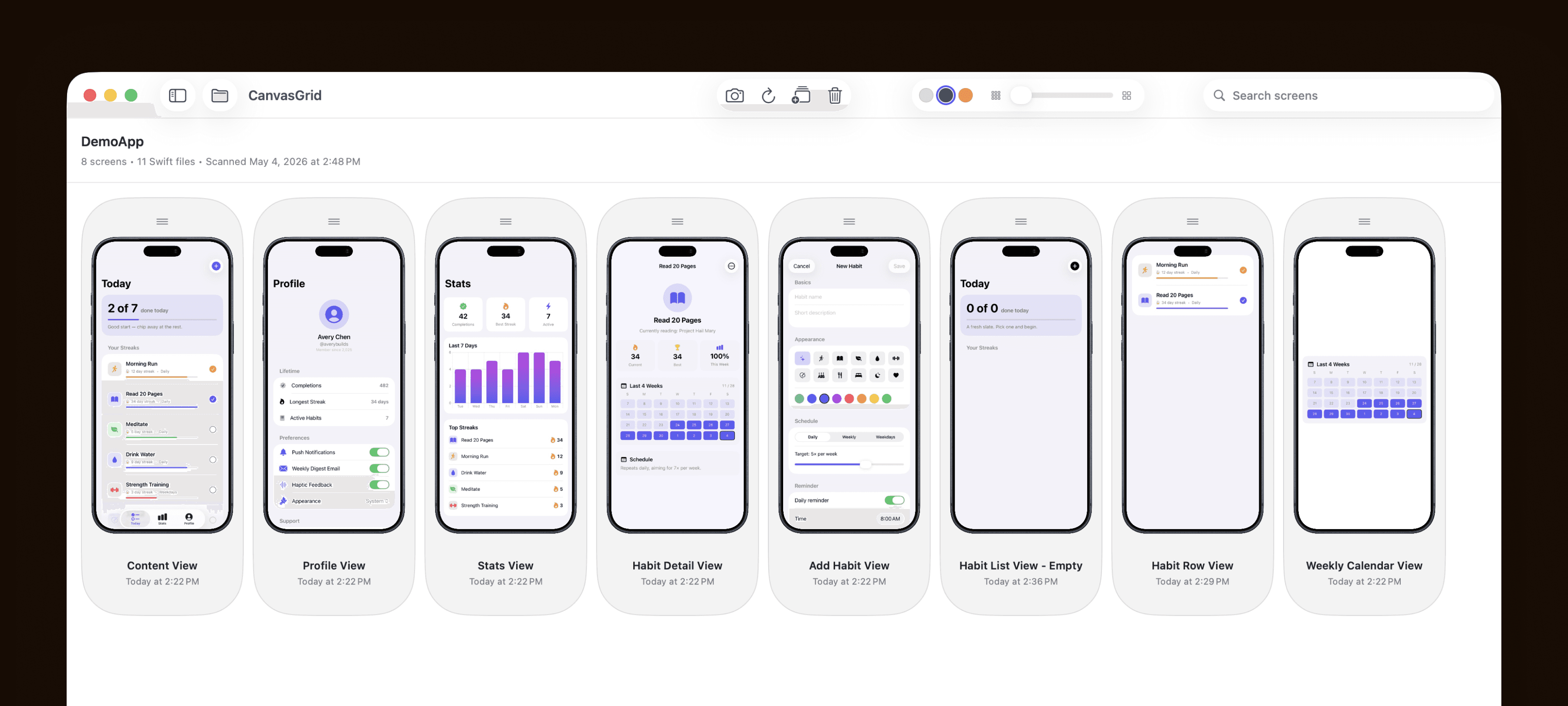
CanvasGrid fixes that. Point it at your Xcode project and it generates an image of every screen and lays them all out on one board. For the first time you can see your entire app at a glance — and immediately spot what's off.
Zoom in to compare screens side by side and catch inconsistencies you'd never notice in code. Use the compare feature to see exactly how a screen has changed between builds. Export any screen as a transparent PNG with an iPhone frame — ready for the App Store, your portfolio, or anywhere else.
Getting started takes about a minute. Click Enable Live Previews, copy one prompt, paste it into your coding agent, and CanvasGrid sets itself up inside your Xcode project automatically.
What is CanvasGrid's Privacy Policy?
CanvasGrid does not collect, store, or share any personal data. All wine entries, photos, and notes are stored locally on your device and are never sent to a server. If you delete the app, your data is deleted with it. We don’t track you, and we don’t sell your data—because we don’t have it. If you choose to back up your device via iCloud, your data may be included in that encrypted backup, but CanvasGrid never accesses it.
What is CanvasGrid's terms of service?
CanvasGrid uses Apple's default end user license agreement, which can be found here: https://www.apple.com/legal/internet-services/itunes/dev/stdeula/
Is there a Setup Guide
https://youtu.be/TCtq8o-GNbU